
Restore Old Photos Free
Restore old photos free and see the result before you spend anything. The free preview runs the same model as a paid restoration — the only differences are a watermark and reduced output resolution.
There is no credit card and no subscription — create a free account, restore your first old photos free, and decide later. The free preview is a real restoration run, so what you judge is exactly what a paid, watermark-free, full-resolution download will look like.
Try a Free Photo Restoration
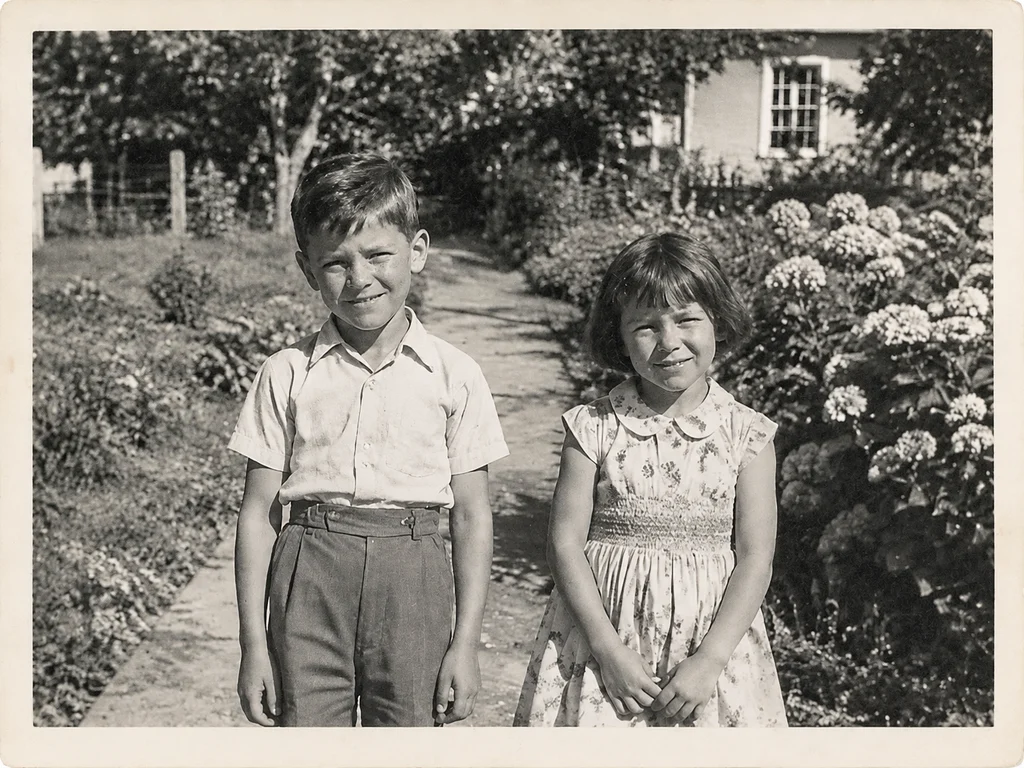
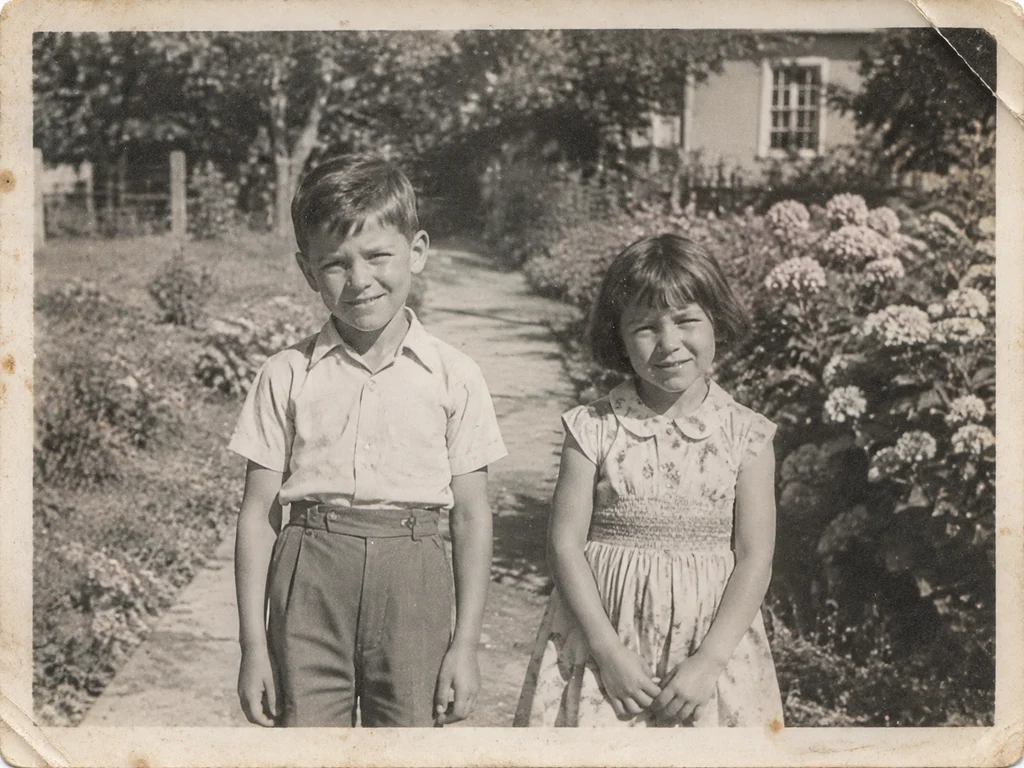 BeforeAfter
How Old Photo Restoration Works
Upload your old photo
Drop in a scan, a print photo or a phone snapshot of an album page. We accept JPG, PNG, WEBP and HEIC up to 20MB.
Pick a restoration mode
Choose restore, colorize, repair or animate. Each mode runs a model tuned for that specific kind of damage.
Download the result
Preview free at reduced resolution, then download the full-resolution file once you are happy with it.
What the Free Preview Includes
You get one full restoration pass at reduced resolution with a watermark, covering repair, colorization or damage cleanup. It is enough to judge whether the model handled your photo well before committing to a purchase.
No Subscription, No Hidden Charges
Paid credits are a one-time purchase. There is no subscription to cancel and no recurring charge. Credits sit in your account until you use them, and they do not expire.
Free Alternatives and Their Limits
Desktop tools can clean up a scan, but they need manual masking and often leave blur where damage was. Free web tools usually cap output resolution and cannot handle heavy tearing. This preview exists so you can compare results on your own photo before deciding.
Free Tools Compared: Apps, Software and Online Services
The usual free options each trade something away. Photoshop and desktop editors cost money and skill — powerful, but every scratch is masked by hand. Mobile apps apply one filter across the whole photo and usually stamp their logo on the export. Web tools tend to cap resolution at barely screen size.
The preview here runs the full paid model — the same neural network, not a stripped-down filter — and the only differences are a small watermark and reduced resolution. You compare on your own photograph, then decide.
- Desktop software: strong but manual — hours of masking per photo, and a licence to buy.
- Free apps: one tap and free, with heavy watermarks and low output resolution.
- This tool: the full-strength model, a free first preview, and you pay only for the full-resolution file.
What Makes AI Restoration Different
Old photo restoration used to mean hours in an editor: cloning out dust spot by spot, hand-painting over scratches, guessing at torn edges. The AI models behind this tool are neural networks trained on millions of historical photographs, so they recognise what damage looks like and reconstruct what was underneath it in one pass.
Because the work is done by machine learning rather than a fixed filter, each photo is assessed individually — a faded 1970s snapshot and a cracked studio portrait from the 1930s get different treatment. Deep learning handles the judgement a human retoucher would, at the speed of an upload.
Old Photos for Genealogy and Family History
Restored photographs are the records genealogy work is missing. Census pages and certificates name your ancestors; only the photographs show them. Repairing and colourising a family collection turns names in a family tree into faces you can study — resemblances you might still recognise in relatives living today.
Libraries, genealogy societies and local history archives accept clean, high-resolution scans, and every download here is a full-size file you can deposit or share. Many families restore one photograph per generation — a set that makes a family history book feel complete.
- Put a face to a name in your family tree — restored portraits make ancestry research easy to share with relatives.
- Full-resolution downloads are accepted by genealogy societies, local archives and family history publications.
- Likenesses are preserved, not invented — important when a photograph is part of a documented family record.
FAQ
Frequently asked questions
- Is old photo restoration really free?
- Your first render is a free preview: the full model runs on your photo and you get a watermarked result at reduced resolution, with no card required. Paid credits unlock the clean full-resolution file.
- What is the difference between the free preview and the paid download?
- The preview uses the same restoration but adds a watermark and caps the resolution, so you can judge the result before paying. The paid file is full resolution with no watermark and is yours to print.
- Do I need an account to try it?
- Yes — a free one, so your preview stays available if you come back. No card details are involved until you choose to buy credits.
- Do credits expire?
- No. Credit packs are one-time purchases and the credits never expire — buy them when you need them and spend them whenever you like.
- How does this compare with other free restoration apps?
- Free apps typically run one filter over the whole photo and stamp a large watermark on the export. The free preview here runs the complete AI model and adds only a small watermark at reduced resolution — closer to what paid desktop software produces than to a filtered app.
- Will the free preview work without a credit card?
- Yes. Sign up free, upload, and the preview renders — no card details are requested at any point before you choose to buy credits.
Sources & further reading
The preservation guidance on this page is checked against public institutions. These are the primary sources we cite across the site and in our guides.