
Colorize Photo
Colorize a photo online and see your black-and-white family pictures in colour within seconds. The colorizer handles each part of the frame separately — skin, clothing, foliage, sky — so results look like a photograph rather than a tinted print.
People colorize old photos to reconnect with them: a colourised portrait reads as a person, not an artifact. Whether it is a 1940s wedding print or a box of black-and-white ancestors, each photograph is colorized in seconds — free to preview, with natural colours and nothing to install.
Colorize a Black and White Photo
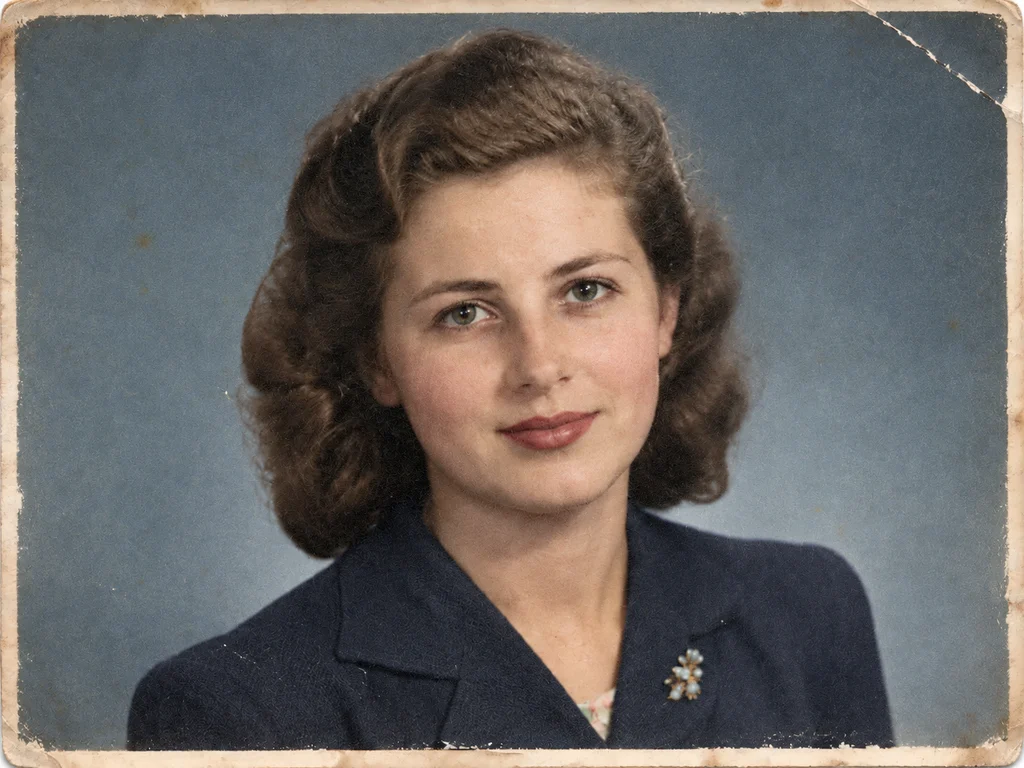
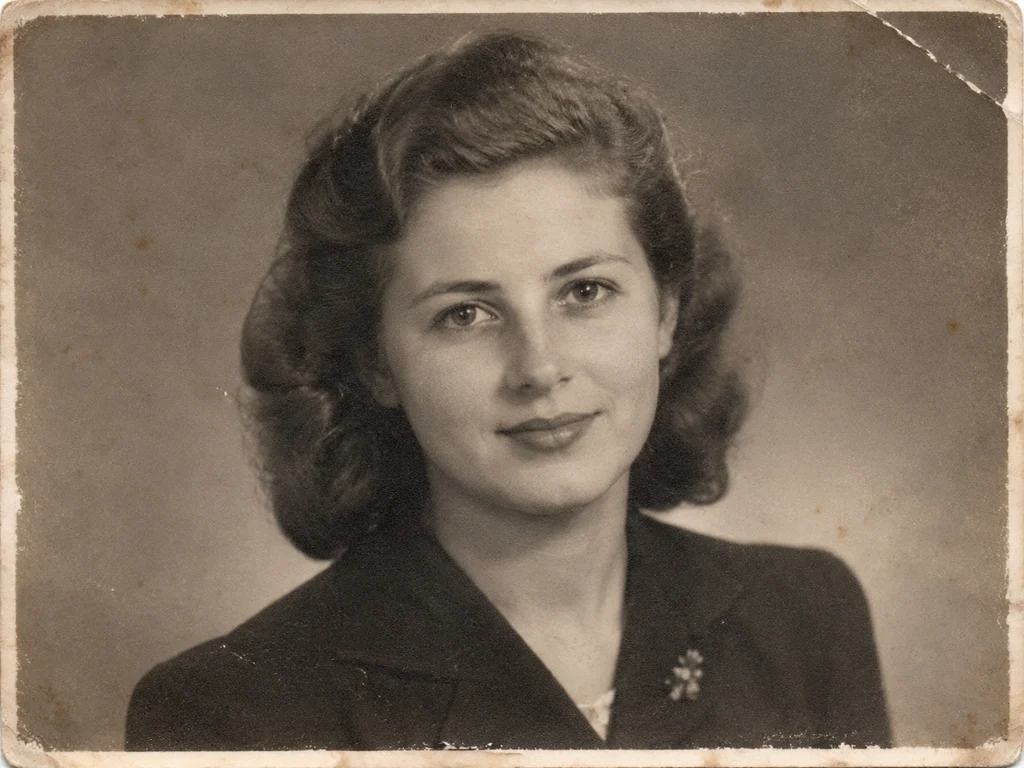 BeforeAfter
How Old Photo Restoration Works
Upload your old photo
Drop in a scan, a print photo or a phone snapshot of an album page. We accept JPG, PNG, WEBP and HEIC up to 20MB.
Pick a restoration mode
Choose restore, colorize, repair or animate. Each mode runs a model tuned for that specific kind of damage.
Download the result
Preview free at reduced resolution, then download the full-resolution file once you are happy with it.
Black and White Photo Colorizer
Upload a scan or a phone photo of any black-and-white print. The model estimates colour from the era, the clothing and the setting, then blends it with the original tonal range so contrast and grain survive intact.
Colorize Old Family Portraits
Portraits are the hardest case, because skin tone is the first thing the eye judges. The model separates faces from backgrounds and keeps complexions natural across a range of ethnicities and lighting conditions.
Restore Before You Colorize
Colour makes existing damage more obvious, so badly scratched or faded photos colorize better when repaired first. Run the repair mode, then colorize the cleaned-up result.
Natural Skin Tones and Period-Accurate Colour
Skin is where colourization is judged, so the model works hardest there: it estimates complexion from the lighting and the era, then keeps faces free of the orange or blue casts that single-tint tools leave behind. Clothing, uniforms and studio backdrops get hues checked against the decades they came from.
Sepia and monochrome prints colorize just as well as pure black-and-white — the model reads tonal information, not colour channels. If a palette feels too warm or too modern, run the photo again; every pass estimates colour independently.
What Makes AI Restoration Different
Old photo restoration used to mean hours in an editor: cloning out dust spot by spot, hand-painting over scratches, guessing at torn edges. The AI models behind this tool are neural networks trained on millions of historical photographs, so they recognise what damage looks like and reconstruct what was underneath it in one pass.
Because the work is done by machine learning rather than a fixed filter, each photo is assessed individually — a faded 1970s snapshot and a cracked studio portrait from the 1930s get different treatment. Deep learning handles the judgement a human retoucher would, at the speed of an upload.
High-Resolution, Print-Ready Downloads
Restoration runs at up to four times the scanned resolution, so the download is a full-size, high-resolution file — sharp enough for a framed print, a photo book or an archive submission. Detail that survives in the original, from fabric weave to handwriting on the border, is rebuilt rather than smoothed away.
The free preview shows the same result at reduced resolution so you can judge the work before paying; paid credits unlock the clean, full-resolution file with no watermark, in the aspect ratio your original has.
Old Photos for Genealogy and Family History
Restored photographs are the records genealogy work is missing. Census pages and certificates name your ancestors; only the photographs show them. Repairing and colourising a family collection turns names in a family tree into faces you can study — resemblances you might still recognise in relatives living today.
Libraries, genealogy societies and local history archives accept clean, high-resolution scans, and every download here is a full-size file you can deposit or share. Many families restore one photograph per generation — a set that makes a family history book feel complete.
- Put a face to a name in your family tree — restored portraits make ancestry research easy to share with relatives.
- Full-resolution downloads are accepted by genealogy societies, local archives and family history publications.
- Likenesses are preserved, not invented — important when a photograph is part of a documented family record.
FAQ
Frequently asked questions
- Will the colors look natural or painted over?
- The colorizer reads faces, clothing, foliage and sky separately and applies period-appropriate tones rather than one global tint. Skin stays natural — if a result feels off, re-run the photo and compare the two versions.
- Can you colorize a photo that is also damaged?
- Yes. Light scratches and fading are handled during colorization; for heavy damage, run Repair Damage first and colorize the repaired file — both modes are available on the same upload.
- Which photos colorize best?
- Clear black-and-white scans with visible faces give the most reliable results. Very dark or heavily stained originals benefit from a pass of Restore & Upscale before you colorize.
- Can I keep the black-and-white version too?
- Yes — colorization produces a new file; your original upload is untouched, and the before/after view on the result page lets you flip between the two.
- Does colorization use AI or a filter?
- AI — a neural network trained on historical photographs, not a one-click colour filter. That is why skin, sky, foliage and clothing each receive tones appropriate to what they are and when they were shot. It is the same machine learning approach archives use to colorize old photos today.
- Can I colorize photos for a family history or genealogy project?
- Yes. Colourised portraits download at full resolution with no watermark, ready for a family history book, a genealogy display or an archive. The original black-and-white file is never altered, and you keep both versions.
Sources & further reading
The preservation guidance on this page is checked against public institutions. These are the primary sources we cite across the site and in our guides.